

 Share
Share
 Post
Post
 Pin
Pin
 Share
Share
 Share
Share
 Share
Share
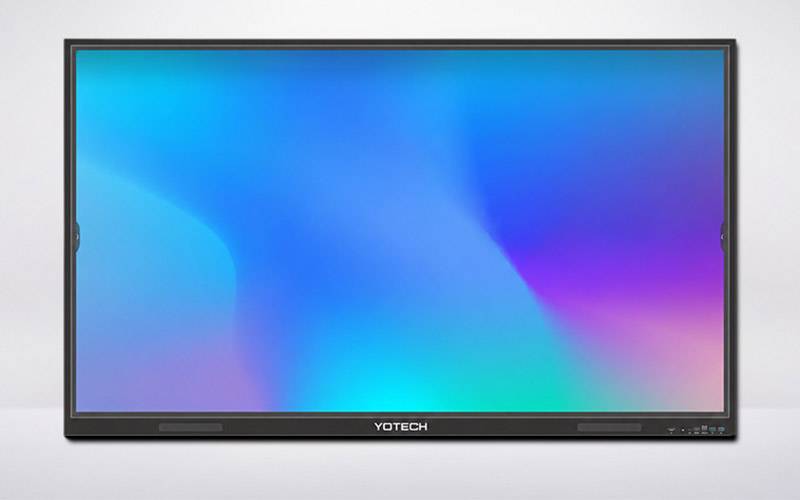
Modern classrooms, training rooms and meeting spaces are moving beyond the traditional displays. Today, organizations need technology that supports interactive learning, collaboration, presentations, video conferencing and digital content from a single screen.
This is where a Google EDLA-certified interactive flat panel with AI can provide a more connected, and versatile experience.
Combining a very large 4K display, multi-touch interaction, Android technology, collaboration tools and intelligent features, an interactive flat panel can transform a conventional classroom or meeting room into a more interactive digital environment.
For organizations looking for professional interactive display solutions, Yotech Infocom offers Google EDLA-certified interactive flat panels in 65-inch, 75-inch and 86-inch options, designed for education, corporate meetings, training and collaboration. (Yotech Infocom Pvt. Ltd.)
An Interactive Flat Panel (IFP) is a large touchscreen display that allows users to interact directly with content on the screen.
Instead of using a projector and traditional whiteboard, teachers, presenters and teams can write, draw, annotate and interact with digital content directly on the display.
EDLA refers to Google's Enterprise Devices Licensing Agreement ecosystem for supported Android devices. For buyers, the important point is that EDLA-certified panels are designed around Google's approved enterprise Android experience rather than simply being a generic Android display.
Yotech's EDLA-certified interactive flat panels are listed with Android 14 and Google EDLA certification, along with features intended for interactive education and professional collaboration. (Yotech Infocom Pvt. Ltd.)
A modern interactive panel can bring multiple functions together in one professional display.
Yotech's EDLA-certified interactive panels use Android 14, and are designed around the Google EDLA platform. This provides an Android-based environment for interactive applications, and productivity workflows. (Yotech Infocom Pvt. Ltd.)
Yotech's EDLA-certified EP65, EP75 and EP86 models are listed with 4K Ultra HD resolution, providing detailed visuals for presentations, lessons, videos and digital content. (Yotech Infocom Pvt. Ltd.)
Yotech's EDLA-certified range is listed with Artificial Intelligence features. Depending on the application, and available functionality, AI can support a more intelligent and convenient interactive experience. (Yotech Infocom Pvt. Ltd.)
The panels support 20/40-point multi-touch, allowing multiple touch interactions for collaborative teaching, presentations and group activities. (Yotech Infocom Pvt. Ltd.)
An interactive flat panel can replace a traditional whiteboard with digital writing, and annotation.
Yotech's EDLA-certified panels include embedded annotation software and advanced whiteboard features, allowing users to write, draw, highlight and interact with content directly on the display. (Yotech Infocom Pvt. Ltd.)
How AI Enhances an Interactive Flat Panel
AI is becoming an important part of modern collaboration and teaching technology.
In an interactive flat panel, AI-enabled functionality can help create a more intuitive user experience.
Yotech's EDLA-certified panels are listed with AI and gesture controls, giving users additional ways to interact with the display. (Yotech Infocom Pvt. Ltd.)
AI-enabled interactive displays can be particularly valuable in environments where teachers, trainers or presenters need to switch naturally between digital content and interactive activities.
The exact AI functionality should always be evaluated according to the individual product specifications.
Interactive Flat Panel for Education
Education is one of the strongest applications for interactive flat panels.
Traditional teaching methods often rely on a combination of whiteboards, projectors, computers and printed materials. An interactive flat panel can bring many of these activities into a single digital display.
Interactive Teaching
Teachers can write directly on the display, explain diagrams, highlight important information and interact with digital lesson content.
Digital Whiteboarding
Instead of erasing a physical whiteboard, teachers can save digital notes and continue working with them later.
Multimedia Learning
Teachers can use videos, presentations, images and other digital content during lessons.
Collaborative Learning
Multi-touch functionality can allow several students or users to interact with content together.
Lecture Recording and Broadcasting
Yotech's EDLA-certified panels are listed with lecture recording and broadcasting functionality, which can support institutions developing digital and hybrid learning environments. (Yotech Infocom Pvt. Ltd.)
Interactive Flat Panel for Corporate Meetings
Interactive displays are also useful outside classrooms.
Companies can use interactive flat panels in:
A presenter can display a presentation, annotate documents, write ideas and share information without switching constantly between separate devices.
Yotech's broader interactive flat panel range is positioned for meeting rooms, video conferencing and wireless collaboration. (Yotech Infocom Pvt. Ltd.)
Wireless Collaboration and Screen Sharing
Modern teams often use laptops, tablets and smartphones during meetings.
Yotech's EDLA-certified interactive flat panels are listed with wireless collaboration with tablets and mobile devices. This can help users share content from their personal devices during meetings and classroom activities. (Yotech Infocom Pvt. Ltd.)
This type of collaboration can reduce the need for multiple cables and make presentations more flexible.
Speech-to-Text for More Convenient Interaction
Yotech's EDLA-certified panels are listed with a speech-to-text feature. (Yotech Infocom Pvt. Ltd.)
For teaching, presentations and meetings, speech-to-text can be useful when users need to convert spoken content into written text or interact with digital information more efficiently.
The exact performance can vary depending on the software and operating environment.
Save and Share Through QR Code
One useful collaboration feature listed for Yotech's EDLA-certified panels is the ability to save, and share content through a QR code. (Yotech Infocom Pvt. Ltd.)
This can be particularly useful after a class or meeting.
Instead of manually copying notes, users can save and share the relevant content digitally with participants.
Gesture Controls
Touch is not the only interaction method available on these panels.
Yotech lists gesture controls among the features of its EDLA-certified interactive flat panel range. (Yotech Infocom Pvt. Ltd.)
Gesture-based interaction can help create a more natural experience when presenting, or interacting with digital content.
Security Features for Professional Environments
Security is an important consideration when interactive displays are used in schools, businesses and institutions.
Yotech's EDLA-certified panels are listed with security locks, providing an additional feature for managed use in professional environments. (Yotech Infocom Pvt. Ltd.)
Organizations should still configure user access, applications and network permissions according to their own IT and security policies.
Yotech Google EDLA-Certified Interactive Flat Panel Range
Yotech offers its EDLA-certified interactive panels in multiple display sizes.
Yotech EP65 Google EDLA-Certified Interactive Flat Panel
The EP65 is a 65-inch EDLA-certified interactive flat panel.
Listed features include:
The 65-inch format can be considered for classrooms, smaller meeting rooms, training spaces and collaborative environments.
Yotech EP75 Google EDLA-Certified Interactive Flat Panel
The EP75 offers a larger 75-inch display while retaining the same core EDLA-focused feature set.
Yotech lists the EP75 with:
The larger screen can be useful when multiple participants need to view content comfortably.
Yotech EP86 Google EDLA-Certified Interactive Flat Panel
For larger classrooms, training rooms and meeting environments, Yotech also lists an 86-inch EDLA-certified interactive flat panel.
The EP86 is listed with Android 14, Google EDLA certification, AI, gesture controls, security features, 4K resolution, Type-C connectivity, speech-to-text, annotation, multi-touch, whiteboard features, lecture recording and wireless collaboration. (Yotech Infocom Pvt. Ltd.)
65-Inch vs 75-Inch vs 86-Inch Interactive Flat Panel
|
Feature |
65-Inch |
75-Inch |
86-Inch |
|
Best suited for |
Smaller classrooms & meeting rooms |
Medium classrooms & meeting rooms |
Larger rooms & classrooms |
|
Resolution |
4K UHD |
4K UHD |
4K UHD |
|
Android |
Android 14 |
Android 14 |
Android 14 |
|
Google EDLA |
Yes |
Yes |
Yes |
|
AI |
Yes |
Yes |
Yes |
|
Multi-touch |
20/40 point |
20/40 point |
20/40 point |
|
Whiteboard |
Yes |
Yes |
Yes |
|
Wireless collaboration |
Yes |
Yes |
Yes |
|
Lecture recording |
Yes |
Yes |
Yes |
The appropriate screen size depends on room dimensions, viewing distance, number of participants and the type of content being displayed.
Selecting an interactive display should begin with the room rather than the screen size alone.
Consider Room Size
A larger room may require a larger display so participants at the back can comfortably view content.
Consider Viewing Distance
Measure the distance between the display and the farthest participant.
This helps determine whether a 65-inch, 75-inch or 86-inch display is more appropriate.
Consider Your Main Application
A school classroom may prioritize interactive teaching and digital whiteboarding.
A corporate meeting room may prioritize presentations, wireless collaboration and video conferencing.
A training room may need a combination of both.
Consider Connectivity
Look at the connectivity requirements of your laptops, computers, tablets and other equipment.
Yotech's EDLA-certified panels include fully functional Type-C ports, which can simplify connection with compatible devices. (Yotech Infocom Pvt. Ltd.)
Consider Multi-Touch Requirements
For collaborative classrooms and group activities, multi-touch capabilities can be particularly useful.
Consider Software and Collaboration
Check whether the panel supports the applications, and collaboration workflows your organization needs.
Choosing an interactive flat panel is not only about buying a large touchscreen.
Organizations also need to consider product features, room requirements, installation, connectivity, collaboration and long-term support.
Yotech Infocom offers an interactive display portfolio that includes standard interactive flat panels as well as Google EDLA-certified models with Android 14 and AI-focused functionality. (Yotech Infocom Pvt. Ltd.)
Yotech's EDLA-certified range is designed for applications including:
With 65-inch, 75-inch and 86-inch options, organizations can select a display size based on their room and viewing requirements. (Yotech Infocom Pvt. Ltd.)
Google EDLA Interactive Flat Panel vs Traditional Display
|
Feature |
Google EDLA Interactive Flat Panel |
Traditional Display |
|
Touch interaction |
Yes |
Usually no |
|
Digital whiteboard |
Yes |
Requires separate solution |
|
Android platform |
Yes |
Depends on display |
|
AI features |
Available on supported models |
Usually limited |
|
Multi-touch |
Yes |
Usually unavailable |
|
Annotation |
Built in on supported models |
Requires external software/device |
|
Wireless collaboration |
Supported on compatible systems |
May require additional equipment |
|
Teaching applications |
Strong fit |
Requires additional tools |
|
Business collaboration |
Strong fit |
May require additional devices |
Best Applications for Yotech EDLA Interactive Flat Panels
Yotech's Google EDLA-certified interactive flat panels can be used across a variety of professional environments.
Schools and Colleges
Support interactive lessons, digital whiteboarding and multimedia teaching.
Universities
Use large-format interactive displays for lectures, presentations and collaborative learning.
Corporate Training
Enable trainers to combine presentations, annotation and digital content.
Conference Rooms
Support presentations, brainstorming, content sharing and collaborative discussions.
Smart Classrooms
Build a more connected digital learning environment around interactive content.
Hybrid Learning
Combine classroom teaching with digital and remote participation workflows.
It is an interactive display that uses Google’s EDLA-certified Android experience. It includes touchscreen functionality, Android-based applications and collaboration features.
Yes. Interactive flat panels are well suited to education because they support digital whiteboarding, annotation, multimedia content, multi-touch interaction and collaborative learning.
Android 14 provides the operating-system environment for the panel's supported applications and user interface. The exact available apps and functionality depend on the device and software configuration.
EDLA certification indicates that the device is part of Google's enterprise Android licensing ecosystem. Buyers should still review the specific device specifications, and included software before purchasing.
Yes. Yotech currently lists Google EDLA-certified interactive flat panels with Artificial Intelligence among their features. (Yotech Infocom Pvt. Ltd.)
Yotech currently lists EDLA-certified interactive flat panels in 65-inch, 75-inch and 86-inch sizes. (Yotech Infocom Pvt. Ltd.)
Yes. The listed EDLA-certified models support 20/40-point multi-touch functionality. (Yotech Infocom Pvt. Ltd.)
Yes. Yotech lists features such as lecture recording, broadcasting and wireless collaboration with tablets and mobile devices, which can support digital and hybrid learning environments. (Yotech Infocom Pvt. Ltd.)
Yes. Yotech lists embedded annotation software that allows users to write, draw and highlight content directly on the screen. (Yotech Infocom Pvt. Ltd.)
The right size depends on room dimensions, viewing distance and the number of participants. Smaller rooms may work well with 65 inches, while larger classrooms and meeting spaces may benefit from 75-inch or 86-inch displays.
A Google EDLA-certified interactive flat panel with AI brings together a large 4K display, interactive touch technology, Android functionality, digital whiteboarding, collaboration and intelligent features in a single professional solution.
For schools and universities, it can support interactive, and multimedia teaching. For businesses, it can improve presentations, training and collaboration. For hybrid environments, wireless sharing and digital workflows can make information easier to present and share.
Yotech Infocom's EP65, EP75 and EP86 Google EDLA-certified interactive flat panels combine Android 14, Google EDLA certification, AI features, 4K UHD resolution, multi-touch, annotation, whiteboarding and wireless collaboration capabilities. (Yotech Infocom Pvt. Ltd.)
Looking for a Google EDLA-certified interactive flat panel for your classroom, conference room or training space? Explore Yotech Infocom's interactive flat panel solutions and choose the screen size and features that match your requirements.
Digital signages enhance communication, engage customers, and provide dynamic content delivery, promoting brand visibility and information dissemination in a visually appealing manner.
Interactive Flat Panels facilitate collaborative learning, interactive lessons, and dynamic presentations. With touch capabilities and multimedia support, they enhance student engagement and learning outcomes.
LED Video Walls deliver vibrant, seamless visuals for impactful presentations, events, and advertising. With high brightness and resolution, they ensure eye-catching displays in diverse environments.
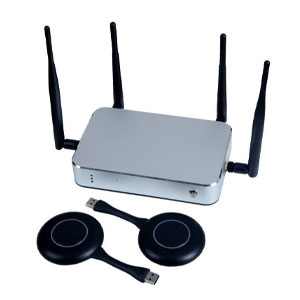
Wireless Presentation Systems enable seamless content sharing, fostering collaboration in meetings. Users can wirelessly connect devices, share content, and enhance productivity with efficient, cable-free presentations.
Audio video Conferencing Systems offer high-quality communication, ensuring clear audio and video for virtual meetings. They foster collaboration, connecting remote teams and facilitating effective communication.
Digital Podiums provide a technologically advanced platform for speakers. With integrated audio-visual features, touch controls, and connectivity options, they enhance presentations, lectures, and public speaking engagements.

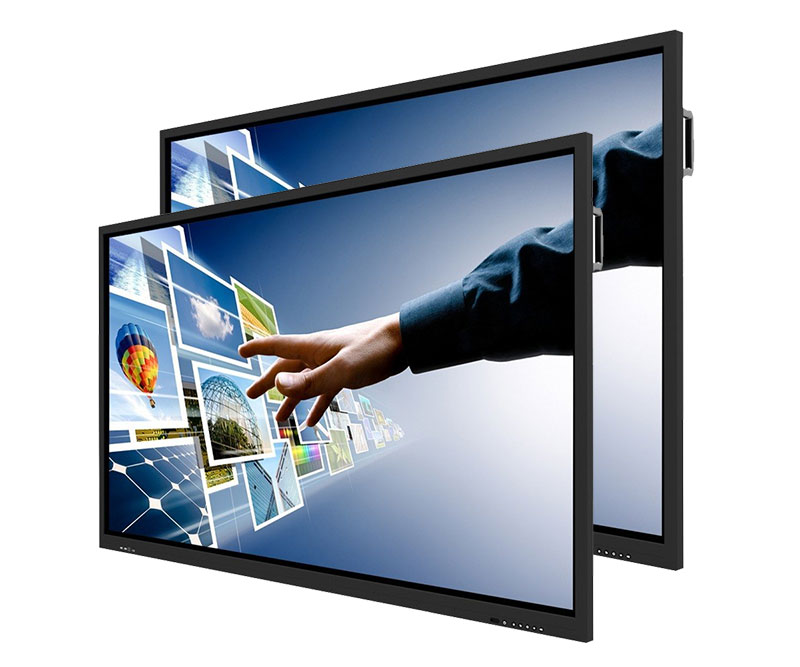
Provide an immersive experience with 4K resolution, up to 40 points of touch, a built-in top-oriented sound bar and microphone array, and a convenient camera USB port location.
| Size: | 86″ |
| Screen Type: | LED |
| Aspect Ratio: | 16:9 |
| Display Area: | 74.61″ x 41.97″ |
| Resolution: | 3840(H) x 2160(V) Ultra HD |
| Pixel Pitch: | 0.4935 mm x 0.4935 mm |
| Back Light Unit: | Direct type LED |
| Response Time: | 6.5 ms |
| Refreshing Frequency: | 60Hz |
| Display Color: | 1.07B (10 bit) |
| Brightness: | 350 cd/m2 |
| Static Contrast Ratio: | 1200:1 |
| Dynamic Contrast Ratio: | 4000:1 |
| Viewing Angle: | 178° |
| Life Time: | ≥50,000 hours |