

 Share
Share
 Post
Post
 Pin
Pin
 Share
Share
 Share
Share
 Share
Share
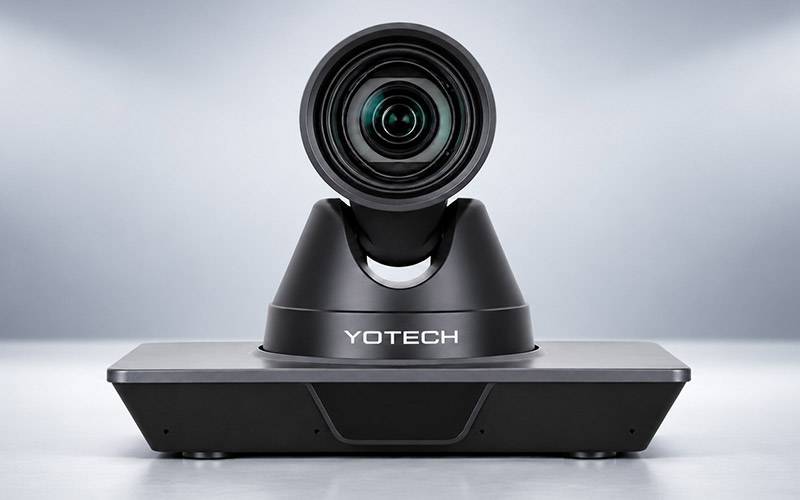
In the modern hybrid work and learning environment, a professional camera has become more than an accessory. Effective meetings, online classes ,training sessions and hybrid collaboration require clear video, flexible camera management and dependable room coverage.
This is where a 4K PTZ camera can make a significant difference.
With Pan, Tilt and Zoom functionality, a professional PTZ camera gives organizations greater control over how presenters, participants, and presentation areas are captured. For businesses, schools, colleges, universities and training organizations, the right PTZ camera can help create a more professional, and engaging communication experience.
Yotech Infocom offers professional PTZ camera and video conferencing solutions designed for modern conference rooms, classrooms, training spaces and hybrid environments.
PTZ stands for Pan, Tilt and Zoom.
Unlike a conventional fixed webcam, a PTZ camera can be remotely controlled to move horizontally, vertically and closer to, or farther from the subject. This makes it especially useful in professional spaces where the camera needs to cover different areas.
A 4K PTZ camera can deliver high-resolution video with greater image detail, making it suitable for applications where presenters, participants, demonstrations or presentation areas need to be clearly visible.
For professional environments, the combination of 4K video, PTZ movement and optical zoom can provide a more flexible camera solution than a basic fixed webcam.
A professional 4K PTZ camera for video conferencing is designed to provide more than basic video capture.
Clear and Detailed Video
High-resolution video can help participants see presenters and meeting content more clearly.
This is particularly useful in boardrooms, conference rooms, training rooms and other professional environments.
Pan, Tilt and Zoom Control
PTZ functionality allows users or operators to adjust the camera view without physically moving the camera.
A meeting operator can change the view from a presenter to another participant or presentation area as required.
Optical Zoom for Larger Rooms
Optical zoom is particularly important when a camera is installed far away from the presenter.
For medium and large conference rooms, the appropriate level of optical zoom can help capture speakers clearly from a distance.
Professional Room Coverage
A PTZ camera can be positioned strategically to provide flexible coverage of the room.
This makes PTZ technology suitable for:
Why PTZ Cameras Are Ideal for Online Teaching
Online teaching requires the camera to capture more than just the teacher.
In many classrooms, students also need to see the whiteboard, presentation screen, demonstration area or other teaching material.
A PTZ camera for online teaching allows the camera view to be adjusted according to the lesson.
For example, the teacher can be shown in a wider classroom view and the camera can then be repositioned toward a board or demonstration area.
PTZ cameras can support:
For educational institutions looking to create a professional digital classroom, a PTZ camera can become an important part of the overall video conferencing setup.
PTZ Cameras for Hybrid Learning
Hybrid learning connects students in the classroom with students participating remotely.
To make this experience effective, remote students need a clear view of the teacher and important classroom activities.
A PTZ camera for hybrid learning can provide flexible classroom coverage by allowing the camera to focus on all types of different areas when needed.
A suitable setup can capture:
For larger classrooms, camera placement, field of view and optical zoom should be carefully considered before selecting a model.
Key Features to Look for in a Professional 4K PTZ Camera
When selecting a professional PTZ camera, businesses and educational institutions should compare the following features.
4K video can provide greater image detail and is useful for professional presentation and conferencing environments.
Optical zoom is important when the camera needs to capture subjects from a distance.
The required zoom level depends on the room size, and camera installation position.
Check the camera's horizontal and vertical movement range to ensure that it can cover the required area.
Some advanced PTZ cameras include AI-assisted features such as auto tracking and auto framing.
These can be especially useful for presenters and teachers who move around during a meeting or lesson.
Presets allow users to save commonly used viewing positions and quickly switch between them.
Depending on the model, professional PTZ cameras may support USB, HDMI, LAN/IP, SDI and control interfaces.
This allows the camera to integrate into different AV and video conferencing environments.
Always verify compatibility with the conferencing software, computer systems and other AV equipment used by your organization.
For businesses and educational institutions, product support, installation assistance and warranty are also important factors when selecting professional AV equipment.
When selecting a PTZ camera for your organization, choosing the right technology provider is just as important as choosing the camera itself.
Yotech Infocom provides professional video conferencing and AV solutions designed for business and education environments.
Yotech's PTZ camera range is suitable for applications including:
Yotech offers different PTZ camera options based on room size, zoom requirements, connectivity and application needs.
This allows organizations to select a solution according to their specific environment instead of choosing a camera based only on resolution.
Yotech 4K PTZ Camera Solutions
For organizations looking for professional 4K PTZ solutions, Yotech offers multiple camera options designed for different requirements.
Yotech C12HUL – 4K PTZ Camera
The Yotech C12HUL is designed for professional video conferencing and AV applications.
It offers:
This makes the C12HUL suitable for professional conference rooms, classrooms, training environments and online teaching applications.
Yotech C12HULT – 4K PTZ Camera with AI Features
For organizations looking for intelligent camera functionality, the Yotech C12HULT adds AI-assisted features designed to support more automated video capture.
Depending on the selected configuration, its capabilities include features such as:
These features can be useful for classrooms, presenters, trainers and professional meeting environments where automatic camera control can improve the overall workflow.
Yotech C20HU – 4K PTZ Camera
For environments where greater optical zoom is required, the Yotech C20HU provides a higher zoom option.
This type of configuration can be considered for any type of larger rooms where the camera may be installed farther away from the presenter or participants.
4K PTZ Camera vs Normal Webcam
|
Feature |
Yotech/Professional 4K PTZ Camera |
Standard Webcam |
|
Video quality |
High-resolution professional video |
Designed mainly for personal use |
|
Zoom |
Optical zoom available on suitable models |
Usually limited |
|
Movement |
Pan, Tilt and Zoom |
Generally fixed |
|
Room coverage |
Suitable for professional spaces |
Best for individuals/small spaces |
|
Camera control |
Remote/manual control options |
Limited |
|
Applications |
Conference rooms, classrooms, boardrooms |
Personal meetings |
|
Installation |
Professional AV installation options |
Desktop/monitor mounting |
|
Professional use |
Designed for business and education environments |
Mainly personal communication |
How to Choose the Right Yotech PTZ Camera
Choosing the right model depends on your requirements.
For Small or Medium Conference Rooms
Consider the room size, required field of view and expected participant distance.
For Large Conference Rooms
Optical zoom becomes more important when the camera is installed farther away from participants.
For Online Teaching
Look for a camera that can effectively capture both the instructor, and teaching area.
For Smart Classrooms
Consider AI tracking, auto framing, connectivity and integration with the existing classroom technology.
For Hybrid Learning
Evaluate camera placement, zoom, classroom coverage and compatibility with the complete video conferencing setup.
For Professional AV Installations
Consider connectivity, control options, mounting requirements, scalability and technical support.
A standard webcam may be sufficient for an individual working from a laptop.
But professional environments have different requirements.
A conference room may have several participants. A classroom may require the teacher and whiteboard to be captured. A training room may need presenters to move around. A large meeting room may require optical zoom.
This is where a professional PTZ camera becomes valuable.
With flexible positioning, zoom control and professional connectivity, PTZ cameras can provide a more adaptable solution for organisations that need consistent video communication across different environments.
Applications of Yotech PTZ Cameras
Yotech PTZ camera solutions can be considered for a wide range of applications.
Corporate Meetings
Create professional video conferencing setups for meetings, discussions and remote collaboration.
Boardrooms
Capture presenters and participants while maintaining flexible control over the camera view.
Online Classes
Support professional teaching and remote learning with adjustable camera views.
Smart Classrooms
Integrate professional cameras into digital and technology-enabled learning environments.
Training Rooms
Capture trainers, presentations and demonstrations for remote participants.
Webinars
Create professional presenter views for online events and training sessions.
Hybrid Meetings
Help connect people in physical meeting spaces with remote participants.
A 4K PTZ camera combines high-resolution video with Pan, Tilt and Zoom functionality. It is designed for environments where flexible camera positioning and professional video capture are required.
PTZ cameras provide flexible movement and zoom control, allowing users to capture different participants and presentation areas without physically moving the camera.
Yes. A PTZ camera can be used to capture teachers, presentation areas, whiteboards and classroom activities, making it suitable for online and hybrid teaching setups.
Optical zoom uses the camera's lens to magnify a subject. It is particularly useful when the camera is installed farther away from the presenter or participants.
Selected Yotech PTZ models include AI-assisted features. The C12HULT, for example, is designed with features such as auto tracking, and auto framing. Always check the specifications of the individual model before purchasing.
Yes. Yotech PTZ camera solutions can be used for online teaching, smart classrooms, hybrid learning and professional training environments.
The appropriate camera depends on room size, camera placement and required zoom. Models with greater optical zoom can be considered when participants are farther from the camera.
Consider the resolution, the optical zoom, the pan-tilt range, the field of view, the connectivity, the tracking capabilities, the room size and the mounting location.
A professional 4K PTZ camera can transform the way organizations conduct meetings, classes, training sessions and hybrid communication.
The right camera delivers high resolution video, adaptable camera control, optical zoom and professional connectivity, while being adaptable to different room environments.
At Yotech Infocom, our PTZ camera solutions are designed to meet the evolving requirements of businesses, educational institutions and professional AV environments.
Whether you need a PTZ camera for video conferencing, online teaching, smart classrooms, hybrid learning or corporate meetings, Yotech offers camera solutions designed around different room sizes, applications and technical requirements.
Searching for the appropriate 4K PTZ camera for your organization? Explore Yotech Infocom’s PTZ Camera Solutions or get in touch with our staff to find the best solution for your conference room, classroom or hybrid learning environment.
Digital signages enhance communication, engage customers, and provide dynamic content delivery, promoting brand visibility and information dissemination in a visually appealing manner.
Interactive Flat Panels facilitate collaborative learning, interactive lessons, and dynamic presentations. With touch capabilities and multimedia support, they enhance student engagement and learning outcomes.
LED Video Walls deliver vibrant, seamless visuals for impactful presentations, events, and advertising. With high brightness and resolution, they ensure eye-catching displays in diverse environments.
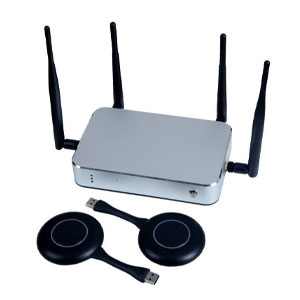
Wireless Presentation Systems enable seamless content sharing, fostering collaboration in meetings. Users can wirelessly connect devices, share content, and enhance productivity with efficient, cable-free presentations.
Audio video Conferencing Systems offer high-quality communication, ensuring clear audio and video for virtual meetings. They foster collaboration, connecting remote teams and facilitating effective communication.
Digital Podiums provide a technologically advanced platform for speakers. With integrated audio-visual features, touch controls, and connectivity options, they enhance presentations, lectures, and public speaking engagements.

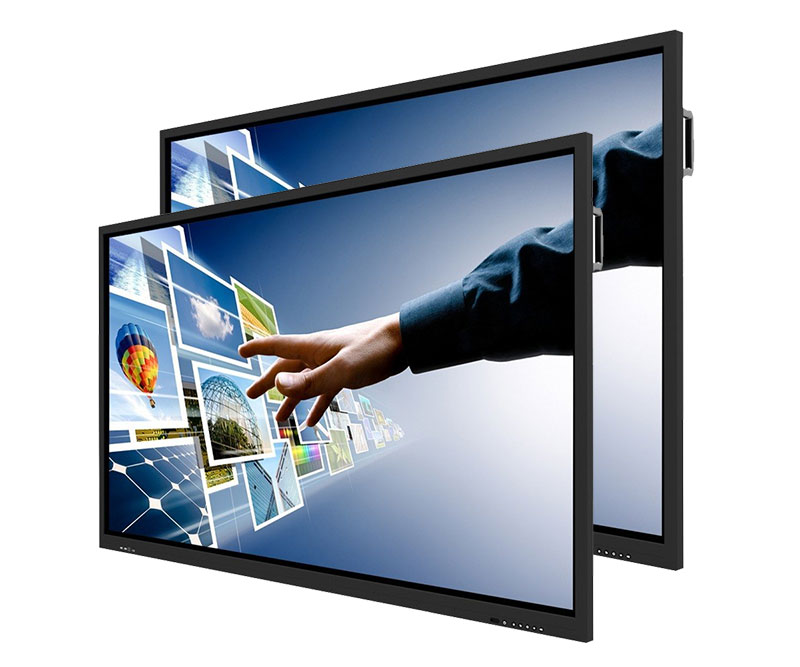
Provide an immersive experience with 4K resolution, up to 40 points of touch, a built-in top-oriented sound bar and microphone array, and a convenient camera USB port location.
| Size: | 86″ |
| Screen Type: | LED |
| Aspect Ratio: | 16:9 |
| Display Area: | 74.61″ x 41.97″ |
| Resolution: | 3840(H) x 2160(V) Ultra HD |
| Pixel Pitch: | 0.4935 mm x 0.4935 mm |
| Back Light Unit: | Direct type LED |
| Response Time: | 6.5 ms |
| Refreshing Frequency: | 60Hz |
| Display Color: | 1.07B (10 bit) |
| Brightness: | 350 cd/m2 |
| Static Contrast Ratio: | 1200:1 |
| Dynamic Contrast Ratio: | 4000:1 |
| Viewing Angle: | 178° |
| Life Time: | ≥50,000 hours |